🚀 Quick Start
Get started with ExceptHub in your Spring Boot application.
Prerequisites
- • Java 17 or higher
- • Spring Boot 3.3+ application
- • Maven or Gradle build tool
Step 1: Add Dependency
Maven
<dependency>
    <groupId>io.github.excepthub</groupId>
    <artifactId>excepthub-spring-boot-starter</artifactId>
    <version>1.0.22</version>
</dependency>
Gradle
implementation 'io.github.excepthub:excepthub-spring-boot-starter:1.0.22'Step 2: Configure
application.yml
excepthub:
  api-key: "your-api-key-here"
  github-url: "https://github.com/your-org/your-repo"
  # optional
  service: "MyApp"
  environment: "production"
  slow-queries:
    threshold-ms: 1000
application.properties
excepthub.api-key=your-api-key-here
excepthub.github-url=https://github.com/your-org/your-repo
# optional
excepthub.service=MyApp
excepthub.environment=production
excepthub.slow-queries.threshold-ms=1000
Step 3: Get Your API Key
- Sign up at app.excepthub.dev
- Create a new repository in your dashboard
- Copy your API key
💡 Tip: Use environment variables for your API key instead of committing it to version control.
Verify Installation
Create a test endpoint to verify everything works:
@RestController
public class TestController {

    @GetMapping("/test-error")
    public String testError() {
        throw new RuntimeException("Test error from ExceptHub!");
    }
}
Visit /test-error and check your ExceptHub dashboard - you should see the error with AI analysis.
Troubleshooting
Errors not showing up?
- • Check your API key is correct
- • Check application logs for ExceptHub initialization messages
- • Ensure your app can reach
api.excepthub.dev
GitHub links not working?
- • Verify your GitHub URL format:
https://github.com/username/repository - • For private repos, grant access via GitHub OAuth in dashboard
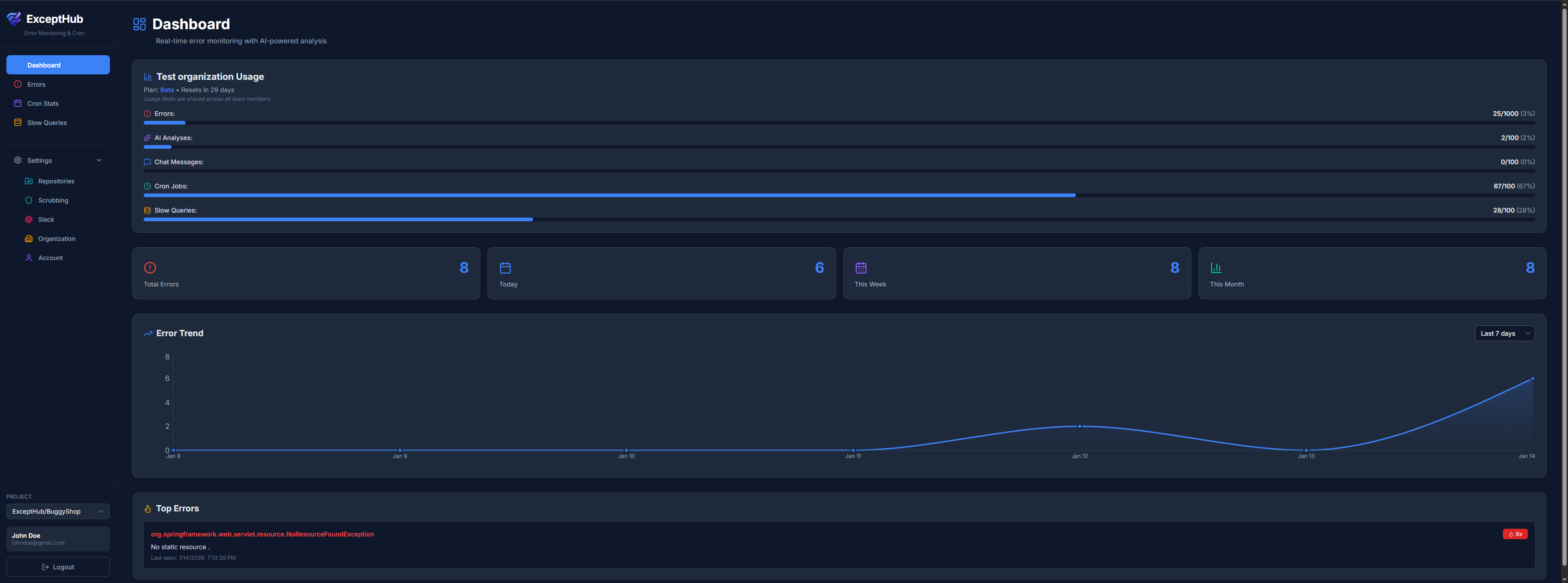
📊 Error Dashboard
Your central hub for monitoring all errors across all repositories in real-time.
What it does
The Dashboard gives you an at-a-glance overview of your application's health with error trends and usage statistics.
Key Features
- • Error trends chart - Visualize error frequency over time
- • Usage statistics - Track errors, slow queries, and cron jobs count
🔍 Error Detail & AI Analysis
Deep dive into any error with AI-powered root cause analysis and suggested fixes.
What it does
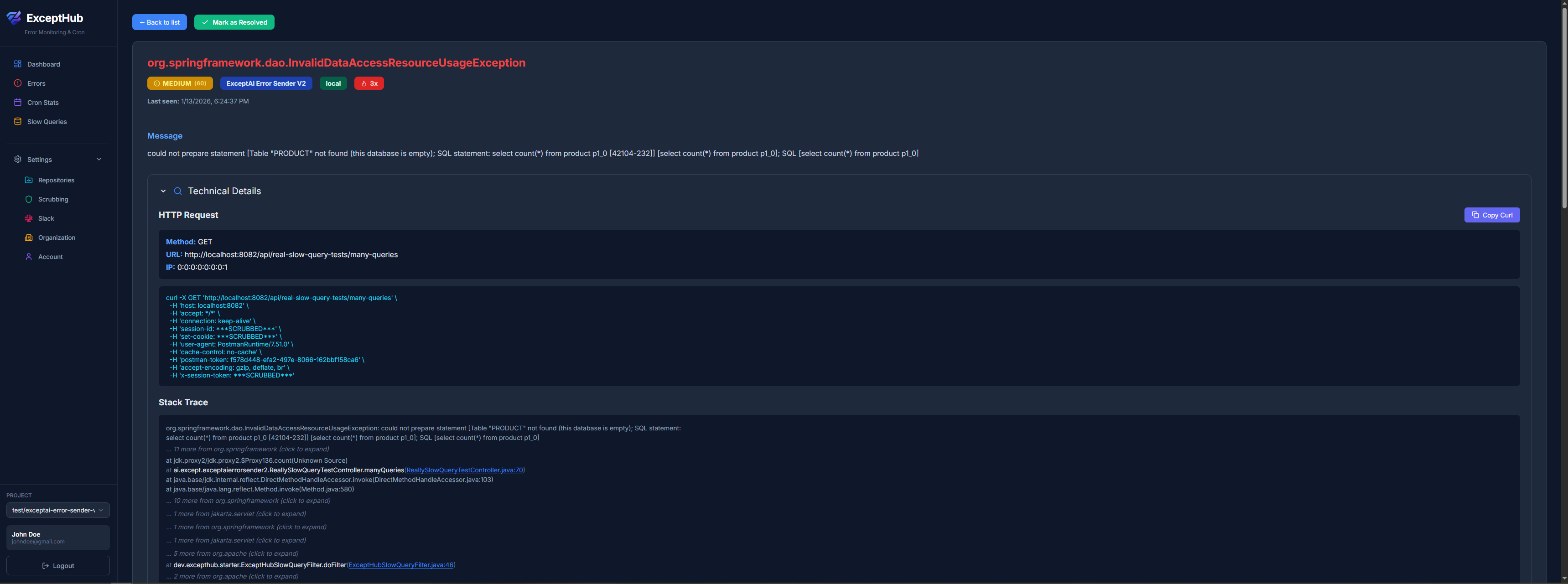
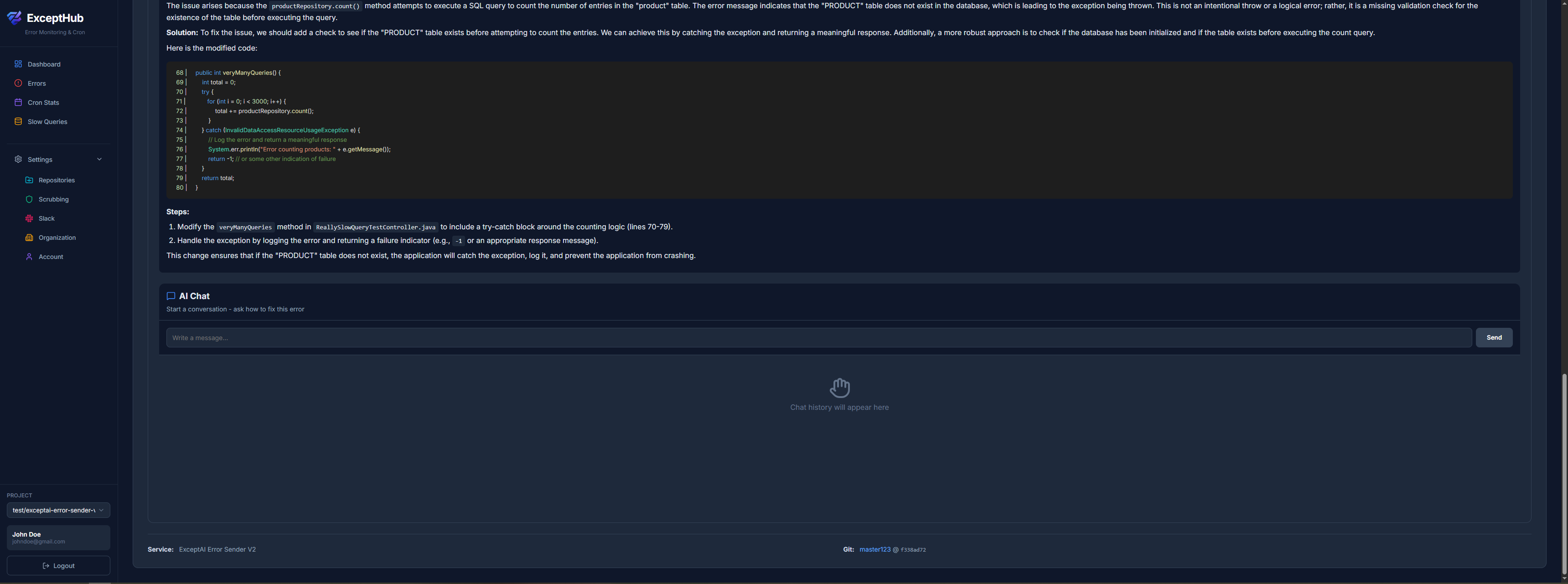
When you click on an error, ExceptHub's AI analyzes your entire codebase context - including the stack trace, HTTP request details, and source code - to suggest the exact fix. No more blind debugging. The AI explains what went wrong, why it happened, and how to fix it, with direct links to the problematic code on GitHub.
Key Features
- • AI Root Cause Analysis - Chat GPT analyzes your code and explains what caused the error
- • Instant Fix Suggestions - Get code snippets you can copy-paste to fix the issue
- • Interactive Chat - Ask follow-up questions about the error to the AI
- • Clickable Stack Trace - Every line links directly to source code on GitHub
- • Smart Frame Collapsing - External library frames are grouped and collapsible
- • HTTP Context - See the exact request that caused the error (URL, method, params, IP)
- • Copy as cURL - One-click copy to reproduce the error locally
- • Occurrence Timeline - First seen, last seen, total occurrences
- • Git Context - Branch, commit SHA, and release version (soon)
🐌 Slow Query Detection
Automatic detection and tracking of slow database queries that hurt performance.
What it does
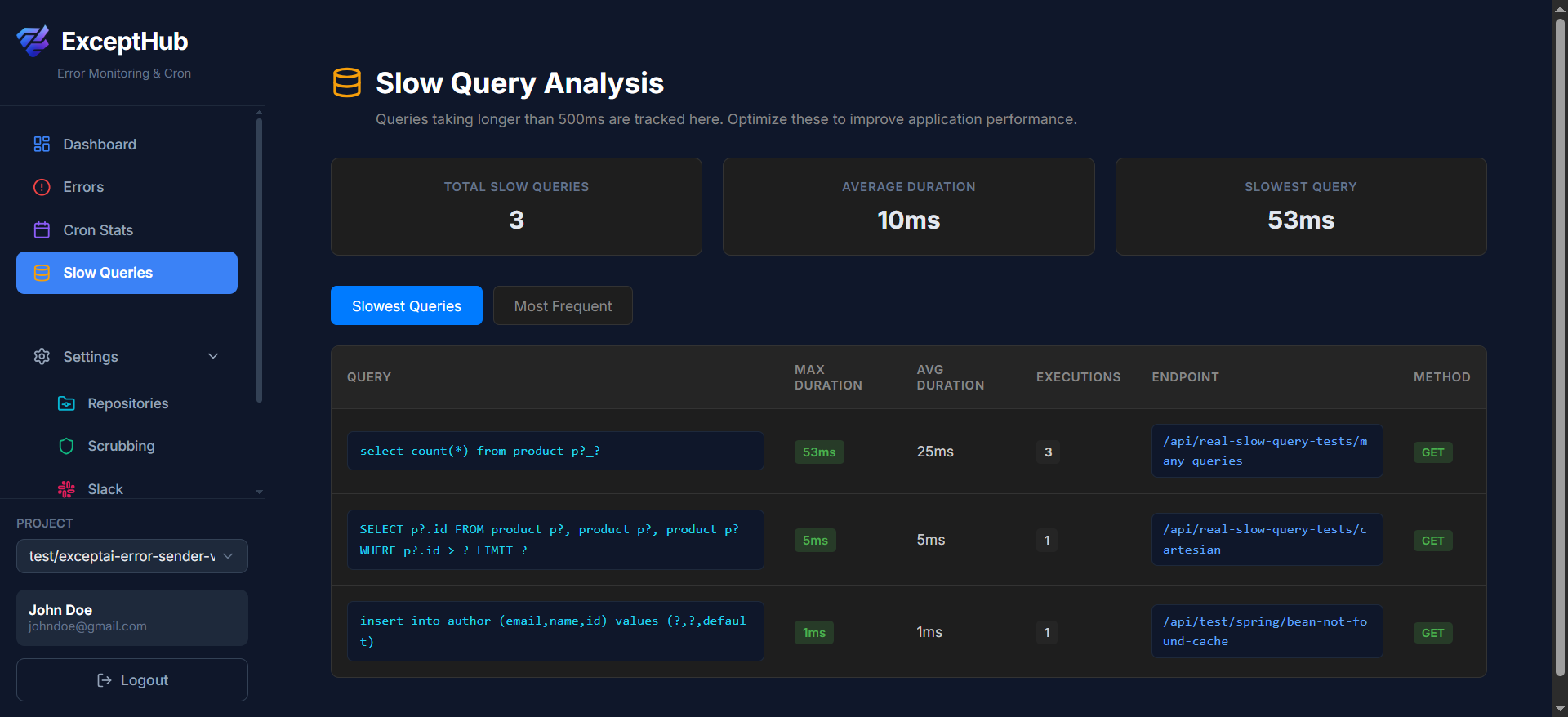
ExceptHub automatically monitors every SQL query your application executes. When a query takes longer than your configured threshold (default: 100ms), it's logged with full context. Queries are fingerprinted and deduplicated, so you see patterns not noise. Sort by frequency to find the queries that slow you down most often, or by duration to find the worst offenders.
Key Features
- • Automatic Monitoring - Zero configuration, works out of the box
- • Query Fingerprinting - Same query with different parameters = one entry
- • Execution Statistics - Count, avg duration, max duration per query
- • Endpoint Tracking - See which API endpoint triggered the slow query
- • Sort by Frequency - Find queries that slow you down most often
- • Sort by Duration - Find the absolute slowest queries
- • Configurable Threshold - Set your own definition of "slow" (e.g., 50ms, 200ms)
🔒 Data Scrubbing & Privacy
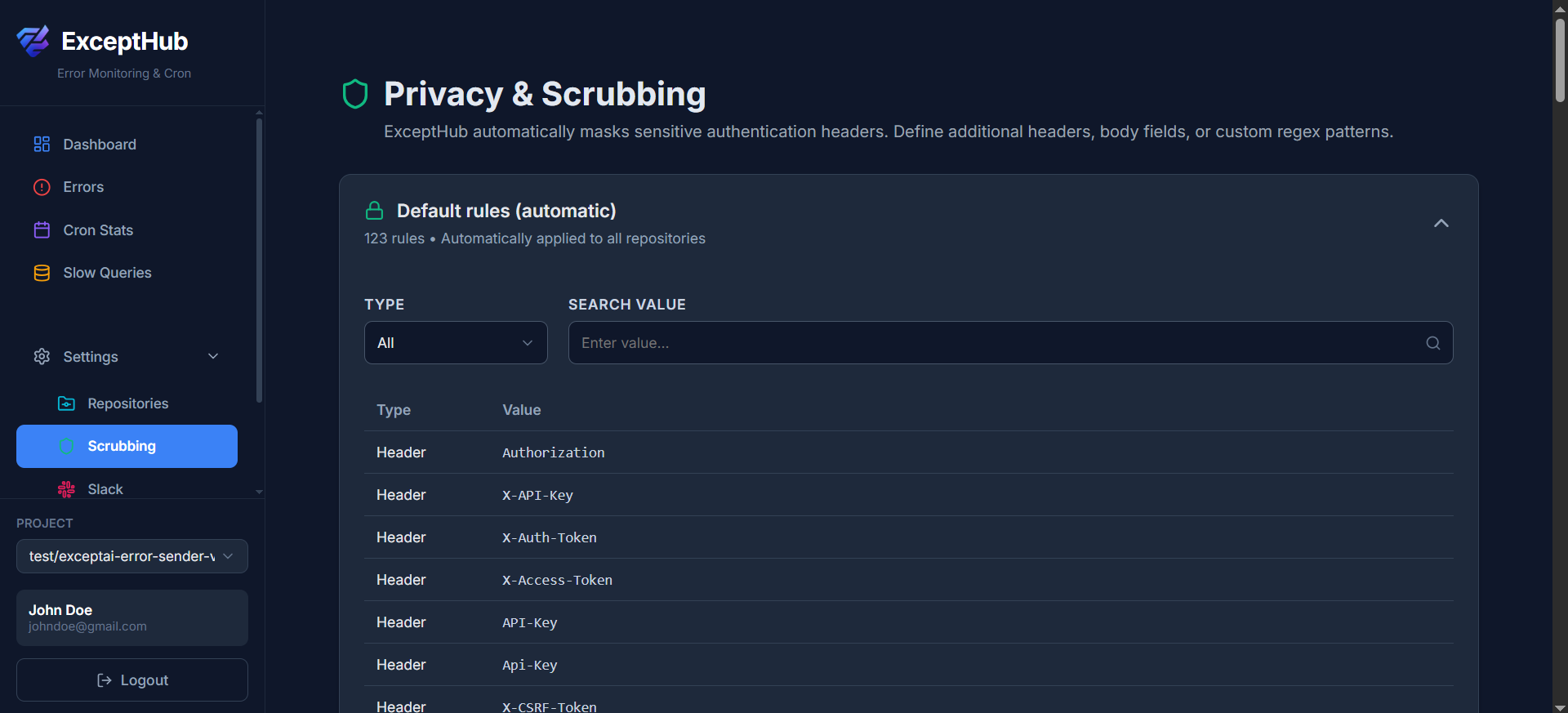
Automatic and custom rules to protect sensitive data in error reports.
What it does
Before errors are stored, ExceptHub automatically scans for common sensitive patterns (API keys, tokens, passwords, emails, credit cards) and replaces them with [REDACTED]. You can also create custom scrubbing rules using regex patterns to handle your specific sensitive data. All scrubbing happens before data hits the database, so sensitive information never leaves your infrastructure unprotected.
Key Features
- • Automatic Scrubbing - Detects API keys, tokens, passwords, emails, credit cards
- • Custom Rules - Add regex patterns for your specific sensitive data
- • Per-Repository Rules - Different rules for different projects
- • Works Everywhere - Applies to error messages, stack traces, HTTP params, headers
- • Edit & Delete - Manage rules easily through the UI
🔔 Integrations
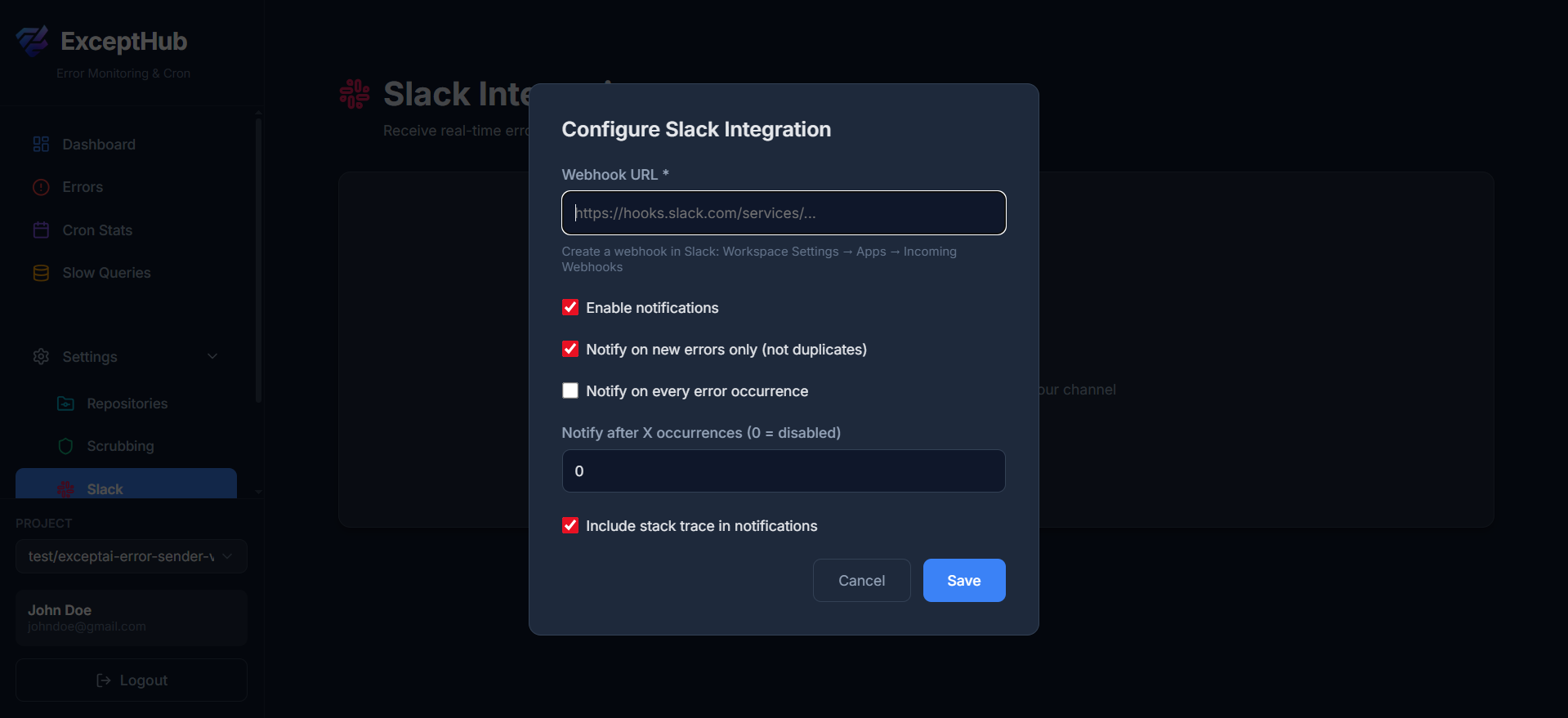
Get notified instantly when critical errors occur via Slack or email.
What it does
Connect ExceptHub to your team's communication tools. When a new error occurs, your team gets notified instantly with a rich preview including the error message, stack trace snippet, and a direct link to the full details. Configure Slack webhook per repository).
Key Features
- • Slack Integration - Webhook-based, works with any workspace
- • Rich Notifications - Error preview with message, type, and stack trace
- • Smart Deduplication - Only first occurrence notifies (not every single one)
- • Environment Filtering - Notify different channels based on environment
- • One-Click Links - Direct link to full error details in ExceptHub
- • Test Integration - Send test notification before saving
- • Per-Repository Setup - Different webhooks for different projects
📦 Multi-Repository Management
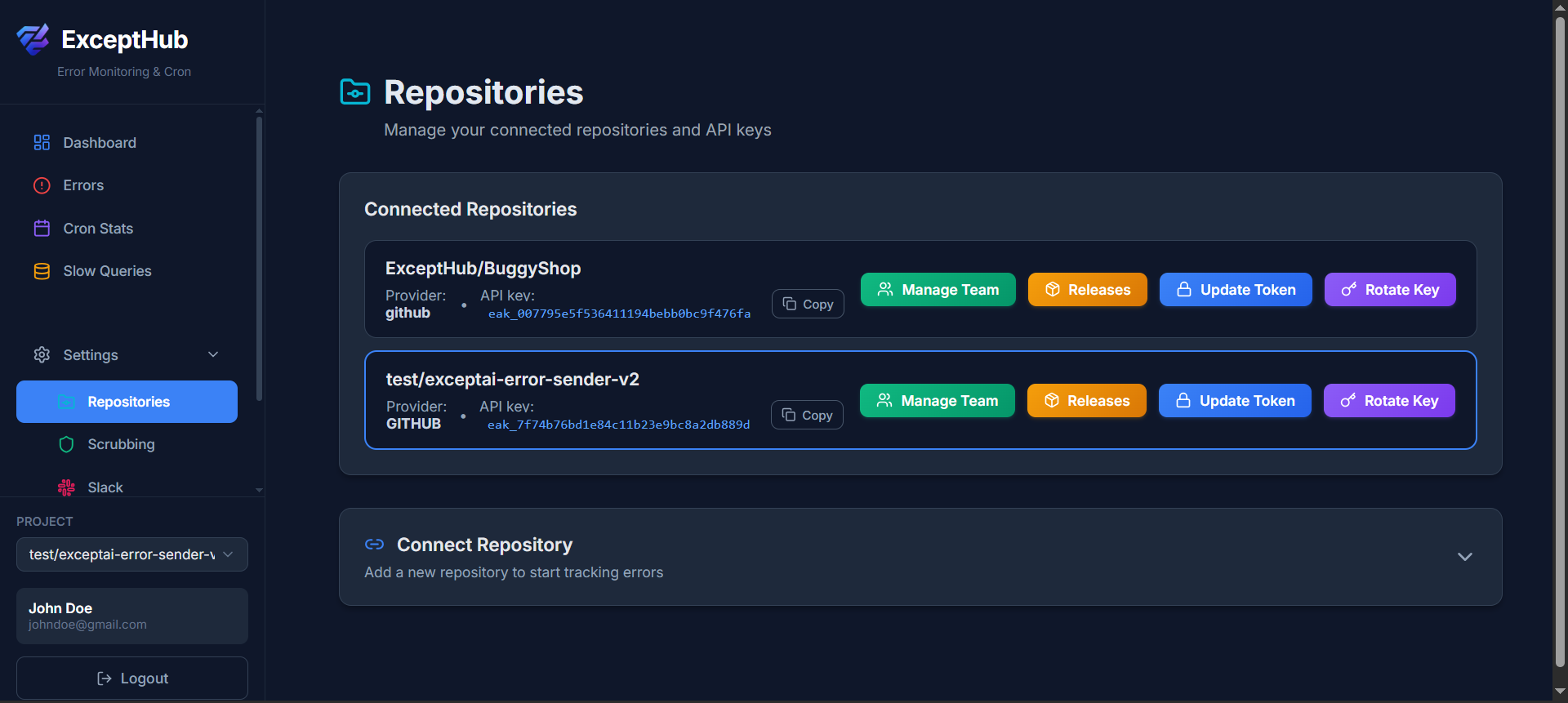
Monitor multiple projects from one dashboard with separate API keys and settings.
What it does
Connect multiple GitHub repositories to ExceptHub. Each repository gets its own API key, scrubbing rules, and integration settings. Switch between projects instantly in the UI. Perfect for agencies managing multiple clients, or companies with microservices architecture. All repositories can be part of an organization with team member access control.
Key Features
- • Unlimited Repositories - Connect as many projects as you need
- • GitHub OAuth - One-click connection via GitHub authentication
- • Separate API Keys - Each repository gets a unique key for security
- • Key Rotation - Rotate API keys with one click if compromised
- • Organization Support - Team members can access all organization's repositories
- • Repository Switching - Dropdown to quickly switch between projects
- • Source Code Links - Stack traces link to actual GitHub code
- • Archive & Restore - Archive repositories while preserving all historical data (errors, slow queries, scrubbing rules). Export to JSON anytime, and unarchive when needed.
🏢 Organization Management
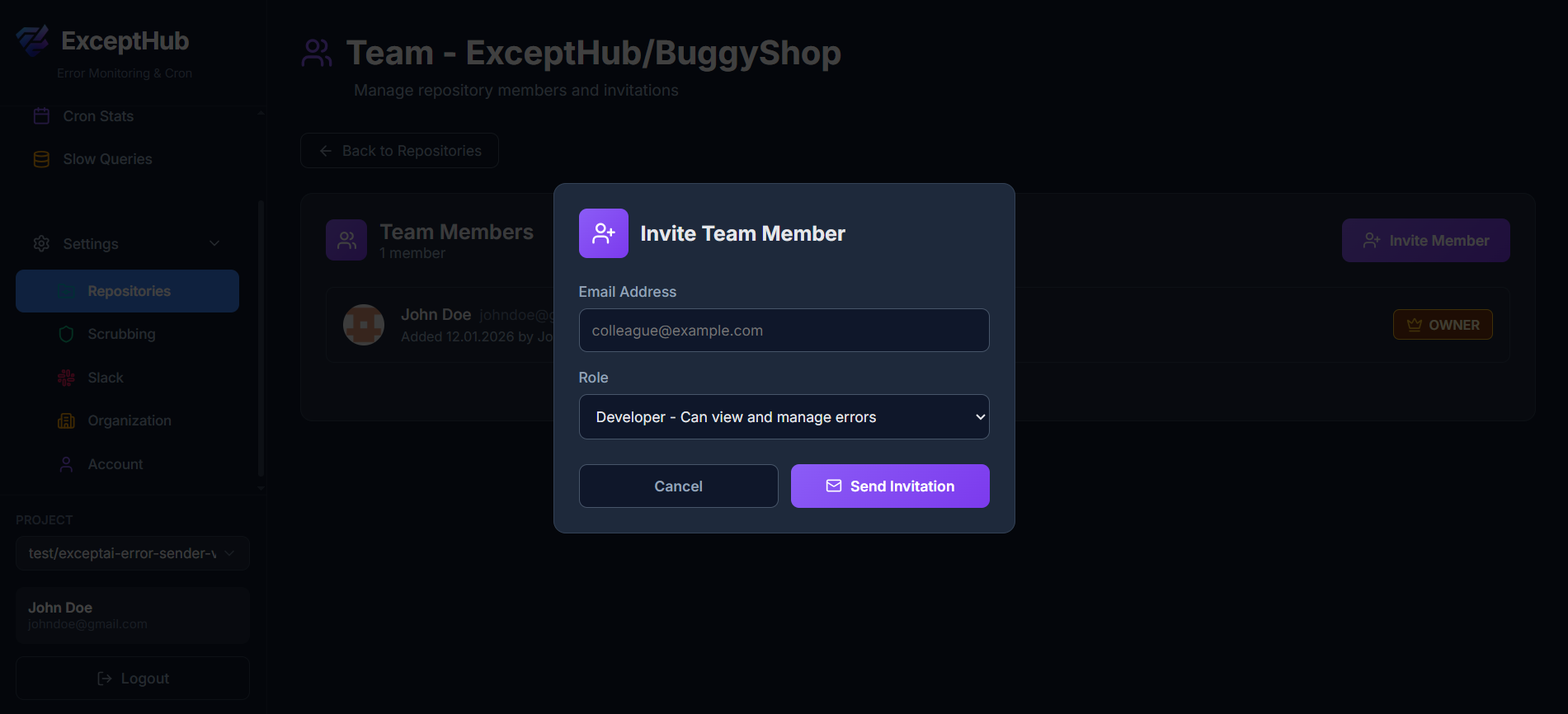
Collaborate with your team and manage access across multiple repositories in one place.
What it does
Organizations in ExceptHub allow teams to collaborate on error monitoring across multiple repositories. Invite team members with different permission levels, share access to all organization repositories, and manage billing centrally. Perfect for companies with multiple developers working on different services or projects.
Key Features
- • Team Collaboration - Invite unlimited team members to your organization
- • Role-Based Access - Admin, Developer, and Viewer roles with different permissions
- • Shared Repositories - All members can access organization repositories
- • Centralized Billing - One subscription covers all team members
- • Activity Logs - Track who resolved errors, changed settings, or invited members
- • Organization Settings - Default configurations inherited by all repositories
- • Member Management - Add, remove, or change roles with one click
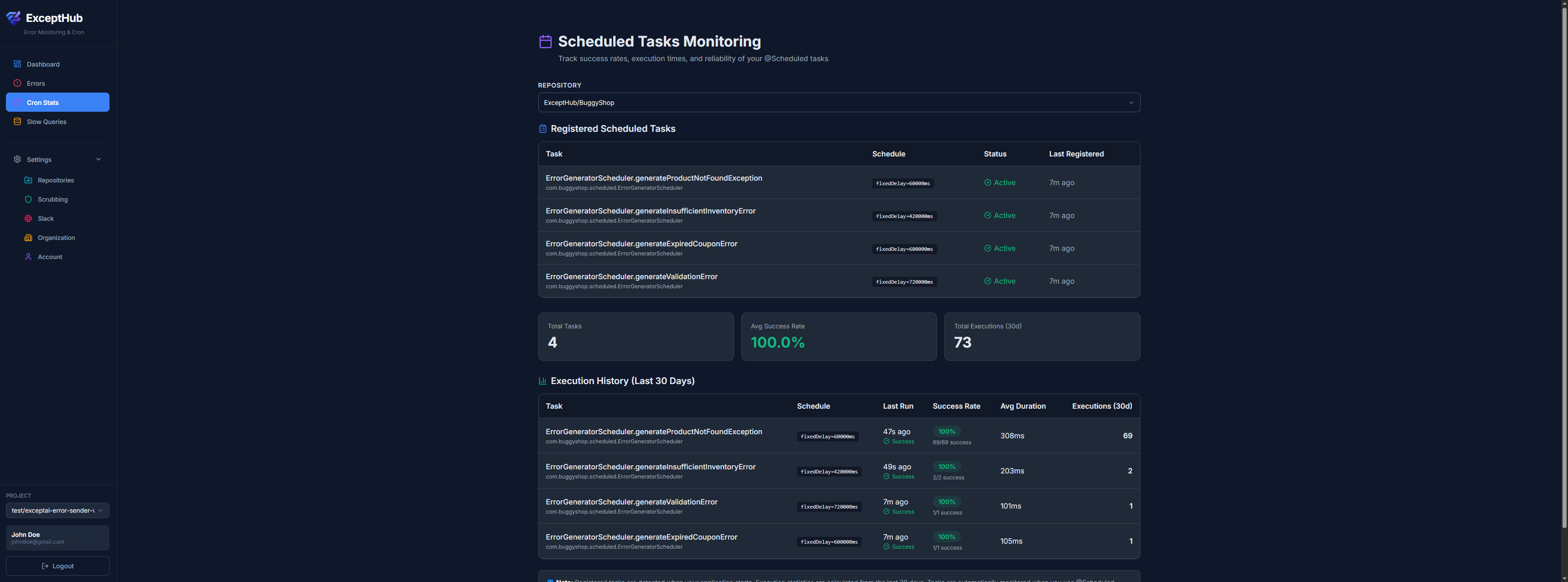
📈 Cron Job Statistics
Detailed analytics and monitoring for all your scheduled tasks and background jobs.
What it does
The Cron Statistics panel gives you deep insights into the health and performance of all your @Scheduled tasks. See success rates, execution durations, failure patterns, and historical trends. Identify which cron jobs are unreliable, which are slowing down over time, and which might be failing silently. All tracked automatically without any code changes.
Key Features
- • Success Rate Tracking - Percentage of successful executions per cron job
- • Execution History - View complete history of runs with timestamps
- • Performance Metrics - Min, max, and average execution duration
- • Failure Analysis - Detailed error messages and stack traces for failed runs
- • Trend Visualization - Charts showing duration trends and failure spikes
- • Schedule Display - See the cron expression and next execution time
- • Alerting - Configure alerts when success rate drops below threshold
- • Comparison View - Compare performance across different time periods
⚙️ Account Settings
Manage your account security and authentication.
What it does
Account Settings provides essential security and authentication management for your ExceptHub account. Change your password, set up password authentication for OAuth users, and manage account deletion.
Key Features
- • Password Management - Change your password or set one if you signed up via GitHub OAuth
- • Multiple Login Methods - Use GitHub OAuth and/or email + password authentication
- • Account Deletion - Permanently delete your account and all associated data
